Airport Icon Pack: Your All-in-One Toolkit for Visual Communication
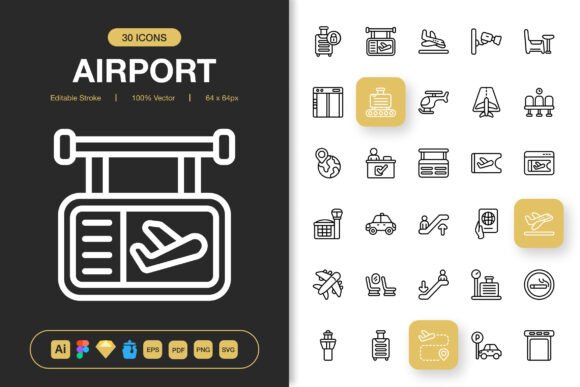
Whether you’re crafting a travel booking website, designing an app for a local tour guide, or putting together a presentation for a corporate logistics team, you’ve likely faced the same visual challenge: finding the right icons. Not just any icons, but a cohesive set that feels professional, is easy to work with, and covers all the specific concepts you need—from departures and arrivals to baggage claims and ground transportation. That’s precisely where the Airport Icon Pack comes in. It’s not merely a collection of images; it’s a complete system designed to streamline your design process across virtually any project.
Beyond Just Airports: Versatility in Modern Design
While the name suggests a niche focus, this pack’s utility extends far beyond airport terminals. Its minimalist and universally recognizable designs are about communicating movement, logistics, safety, schedules, and services. A freelancer designing a website for a moving company can use the luggage and vehicle icons. An educator creating an infographic about global trade routes might use the plane and cargo symbols. A blogger writing about personal travel tips could use the check-in and security icons to break up their text visually. The pack provides a common visual language that resonates in many contexts.
Consider the small business owner running a bed and breakfast near a major city. Their website needs to convey proximity to the airport for potential guests. Using a clean, high-quality airplane icon from the Airport Icon Pack on their "Location & Transport" page instantly communicates that information more elegantly than a paragraph of text could. It’s a practical solution that enhances user experience and aesthetic.
From Digital Screens to Printed Materials
The true test of a versatile asset is its performance across different mediums. This icon set is engineered for that. The included file formats—like SVG for scalable web use, high-resolution PNGs for crisp app interfaces, and EPS for print—mean you aren’t locked into one type of project. You can start using the icons in a Figma prototype for a mobile app, then effortlessly transition the same icons into the flyers, banners, and posters for that app’s marketing campaign. The consistency strengthens your brand identity from the first digital touchpoint to the final printed brochure.
Imagine a marketing team launching a new city transit app. They need icons for the app itself (bus, train, ticket), for the social media campaign assets, and for the physical posters in subway stations. Having a single source, like the Airport Icon Pack, that provides all these icons in ready-to-use formats eliminates the frantic search for matching visuals and ensures a professional, unified look everywhere.
How the Features Translate to Real-World Ease
Technical features are only valuable if they solve actual problems. The mention of an editable stroke isn’t just a spec sheet bullet point; it means you can adjust the line weight of an icon to match the boldness of your website’s headings or the delicacy of a wedding invitation for a destination wedding planner. You’re not stuck with a preset look.
The "easy drag and drop" promise speaks directly to the time crunch most creators face. When you’re deep into a project, you don’t want to spend an hour converting, cropping, or resizing files. With pre-organized files in IconJar, Sketch, and Figma, you can literally drag the exact icon you need directly into your workspace, already in a usable state. This turns a potential bottleneck into a smooth, quick step.
Having 100 customizable icons means you have a broad foundation. It’s enough to cover a full website’s navigation (home, contact, services, booking) or an entire instructional booklet’s key points without feeling repetitive or lacking. And the range of PNG sizes—from 32px for delicate UI elements to 512px for prominent hero graphics—means you’re prepared for any on-screen need without losing quality or manually resizing.
A Toolkit for Diverse Users
Different users extract different value from the same resource. A seasoned graphic designer might dive straight into the Adobe Illustrator source file to tweak and combine icons into a unique composite graphic. A hobbyist building a personal travel blog might rely on the simple PNG files to quickly beautify their posts. An entrepreneur with no design software might use the provided PDF in simpler tools. The pack accommodates this spectrum of skill and need.
For the educator or publisher, the clarity of these icons is key. When creating materials for students or readers, ambiguous or overly stylistic icons can confuse. The minimalist, high-quality approach of the Airport Icon Pack ensures the symbol for "information" or "waiting area" is understood immediately, aiding comprehension in textbooks, online courses, or public infographics.
What to Consider Before You Apply It
While the pack is broadly applicable, thinking about your specific project will help you maximize its use. First, consider your audience. Are you communicating with international travelers who need instant visual recognition, or with corporate clients where a sleek, professional aesthetic is paramount? This pack suits both, but you might choose different icons or adjust colors accordingly.
Second, think about your workflow. If your team collaborates in Figma, the included Figma file is a direct asset. If you work across multiple software platforms, the variety of source files ensures no one is left out. Checking the included formats against the tools you actually use is a simple but crucial step.
Finally, assess your need for customization. If your project requires a very specific color palette or slight alterations to an icon’s shape, the editable vector files (AI, EPS, SVG) are your gateway. If you need speed and simplicity, the ready-made PNGs will serve you perfectly. The pack supports both approaches, so you can choose the path that fits your deadline and skills.
The Airport Icon Pack is more than a set of symbols; it’s a design accelerator. It removes the friction of searching for disparate, mismatched icons and provides a reliable, high-quality visual foundation. From a freelancer’s one-off website project to a marketing agency’s multi-channel campaign, it offers the consistency and flexibility that modern visual communication demands. By focusing on real outcomes—saving time, ensuring quality, and enabling adaptation—it becomes a practical tool in the toolkit of anyone who needs to communicate ideas clearly and beautifully.