College Outline Icons: A Practical Assessment of a Minimalist Icon Set
In digital design, the clarity of communication often hinges on the smallest elements. Icons function as visual shorthand, guiding users, conveying concepts quickly, and establishing a cohesive aesthetic. The College Outline Icons set presents itself as a resource aimed at fulfilling this role across a wide array of projects. This assessment examines its characteristics, practical value, and suitability for different professional contexts.
Core Characteristics and Design Philosophy
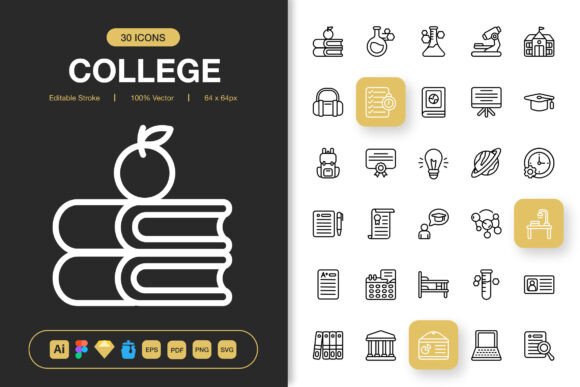
The set's defining feature is its minimalist outline style. This approach strips icons down to their essential forms, using clean lines and open shapes. This aesthetic is not merely a trend; it serves a functional purpose. Minimalist icons reduce visual clutter, enhance readability at smaller sizes, and integrate seamlessly into interfaces where simplicity and space are priorities. The "college" theme suggests a foundational, academic-inspired clarity, but the actual icon library appears geared towards universal symbols applicable beyond any singular theme.
A key strength lies in its stated versatility. The promise of suitability for websites, mobile apps, print materials, and social media indicates a design process focused on scalability and adaptability. This is crucial for professionals who manage multi-platform campaigns or need a single visual asset library for diverse outputs.
Evaluating the Practical Value: Files and Formats
The provided file formats constitute a significant portion of the set's practical value. Inclusion of the source file in Adobe Illustrator, along with Figma, Sketch, and Iconjar files, speaks directly to modern design workflows. It means the icons are not static PNGs but editable vectors. The Editable Stroke feature allows designers to adjust line weights, modify shapes, or recolor elements to match specific brand guidelines or project requirements without losing quality.
The inclusion of SVG files ensures web-friendly, scalable vector graphics, while EPS and PDF versions support traditional print workflows. The packaged PNGs at multiple resolutions—from 32px to 512px—offer immediate usability for developers or quick placements. This comprehensive format suite removes a common barrier: asset conversion. It enables a true drag-and-drop experience across different stages of a project, from prototyping in Figma to final implementation in code or print layout.
Quality and Usability in Real-World Application
High quality in icon design translates to visual consistency, precise geometry, and clean path construction. For a set claiming high quality, users should expect uniform stroke weights, balanced proportions across all icons, and optically pleasing shapes that remain clear at various sizes. The 100-icon scope suggests a curated collection rather than an exhaustive library, which can be advantageous. It likely focuses on core, frequently needed symbols, reducing redundancy and ensuring each icon is purposeful.
Usability is enhanced by the minimalist design. Simple icons are typically faster to recognize, which improves user experience in apps and websites. Their unobtrusive nature makes them excellent for supporting text, not competing with it. In print projects like infographics or flyers, they can act as clear visual anchors without overwhelming the layout.
Strengths for Specific Audiences
Professionals who might benefit most from College Outline Icons include freelancers and small business owners managing their own branding. The set's flexibility and editable nature allow for cost-effective customization. Marketers creating cohesive campaigns across digital and print media would find the multi-format support invaluable. UI/UX designers prototyping apps or websites could utilize the vector files for rapid iteration.
Educators and publishers creating instructional materials or books might appreciate the clear, diagrammatic style for illustrating concepts. Bloggers and content creators could use them to enhance visual appeal in posts and social media graphics. The set appears tailored for projects where a clean, modern, and professional visual tone is desired without requiring custom illustration from scratch.
Considerations and Potential Limitations
While the versatility is a marked advantage, the specific icon count and selection are critical. A 100-icon set may not cover every niche need. Professionals working in highly specialized fields might require more domain-specific symbols. The outline style itself, while clean, may not suit projects demanding a more filled, solid, or textured visual aesthetic.
The long-term value depends on the foundational design of the icons. Well-constructed vector paths ensure they remain usable even as design tools evolve. The inclusion of source files grants enduring control, allowing the set to be adapted for future projects rather than becoming obsolete.
Integrating into Your Workflow
To assess if College Outline Icons fits your needs, consider your typical output formats. If your workflow regularly involves switching between digital design software, web development, and print preparation, the comprehensive file package addresses a genuine pain point. Evaluate whether the minimalist outline style aligns with your existing or intended brand identity. For projects requiring a neutral, functional visual language, this set could serve as a reliable, time-saving asset.
Ultimately, the value of such a resource is measured by its ability to integrate smoothly into a process while delivering consistent results. The emphasis on editability, format variety, and a scalable design philosophy positions College Outline Icons as a practical toolkit rather than just a collection of images. It is a resource for those who prioritize utility, clarity, and cross-platform coherence in their visual communications.